KEP Manager
Access the Key Event Point Manager (KEP Manager) from the Animation Path KEP tool panel.

Each row corresponds to a key event point, which is a point in the animation path. An animation path segment is the path between key event points.
In the KEP Manager, you can enter values for start time, velocity, and acceleration. When you change values in these fields, other values in corresponding segments adjust, also. You can adjust the symbol's orientation (Yaw, Pitch, and Roll) and coordinates (X,Y, and Z). This gives you precise control of every aspect of the animation.
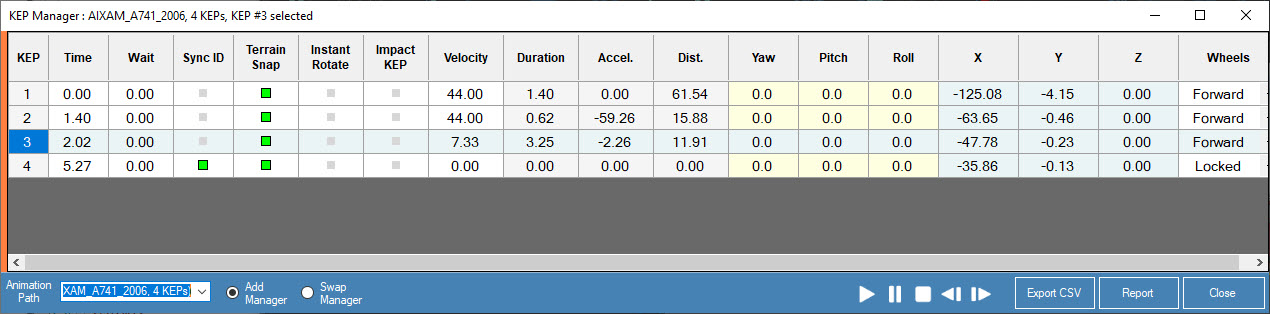
You can display the KEP manager for multiple animation paths. This is helpful for managing multiple animation paths. Animation playback controls are available in the KEP Manager  .
.
From the KEP Manager tool panel, click Add Manager to view additional KEP managers. Click Swap Manager to switch between them. When multiple KEP Manager panels are open, moving or resizing the top KEP Manager panel affects all of the KEP Manager panels below it.