Modeling a Point Cloud Sphere
To trace a point cloud sphere:
-
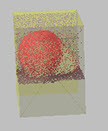
Load the point cloud with a sphere to model. It is a best-practice to isolate the point cloud sphere with clipping boxes.
-
On the Point Cloud tab, click the Snap command to open the drop-down menu. Click the Sphere grip and select a Sphere Size or Automatic.
-
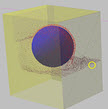
Click the point cloud sphere and wait for the processing to complete. A sphere object will appear around the point cloud sphere.
-
Modify the sphere size and coordinates in the Tools Panel, if necessary.