Align Point Clouds, 3D Models, Sheets and Areas
|
123-2026-02-27-888 |
You can align Point Clouds, 3D Models, Sheets and Areas in the Sphere XG alignment tool.
Proceed as follows to open this tool:
-
In the project structure view of the Capture tab, click the three-dots icon of the element which you want to align.
-
Select context menu entry Align
 .
.
The alignment tool is displayed:
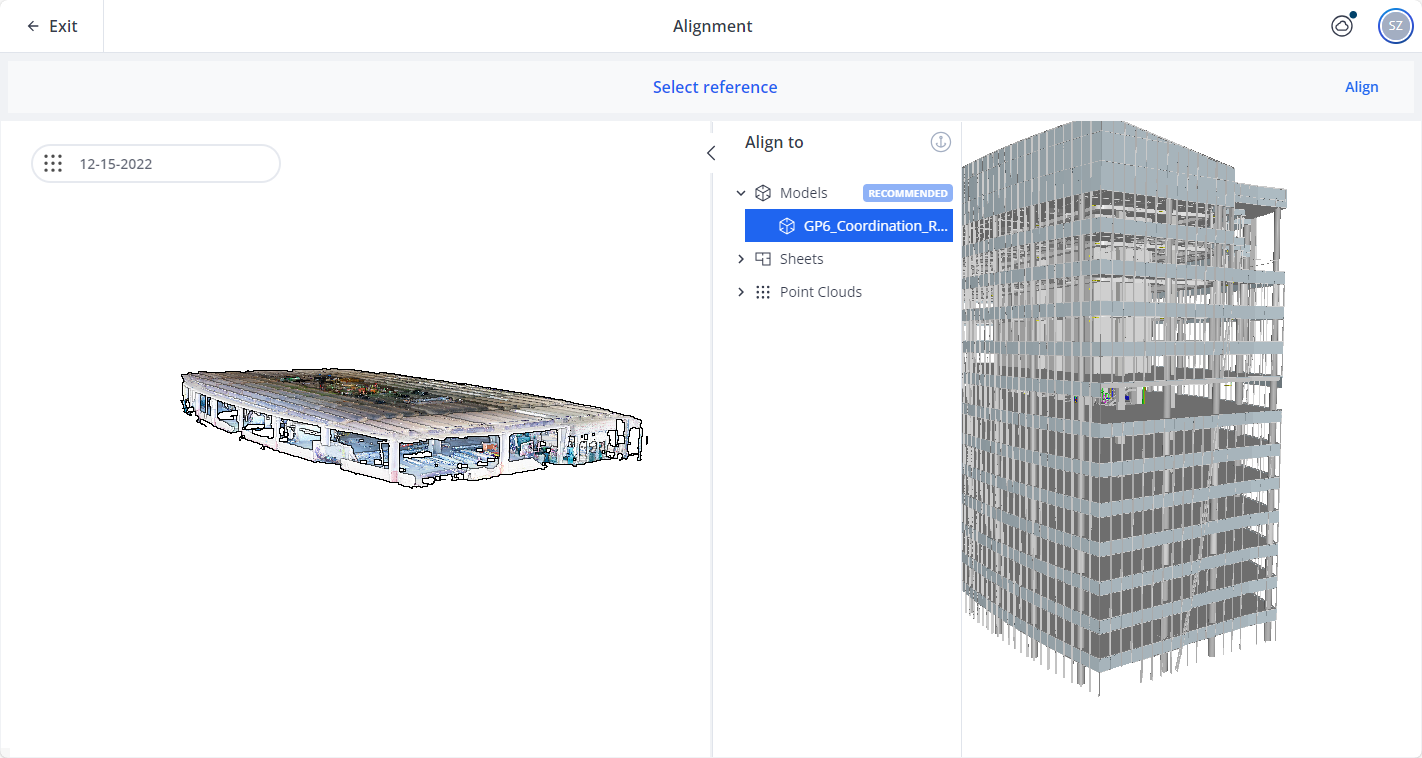
Figure 1-124 Alignment tool
The above image shows the alignment tool for a point cloud and a 3D model.
-
On the left side, the element which you want to align is displayed, in this case the point cloud.
-
In the middle of the screen, you can select the reference element to which you want to align. The reference element is marked by icon
 .
. -
After you have selected the element, to which you want to align, it is displayed on the right side, in this case the 3D model.
Currently, 3D models can only serve as reference elements () which you cannot move during the alignment.
-
To start the alignment, click Align in the top right corner.