Device Center Panel
|
1238888 |
The Device Center command is available in the Home and Devices tabs in the CAM2 2024 ribbon. This command opens the Device Center panel and contains a list of all active (detected) devices. The Device Center panel contains a list of all active devices with the properties of each associated device.
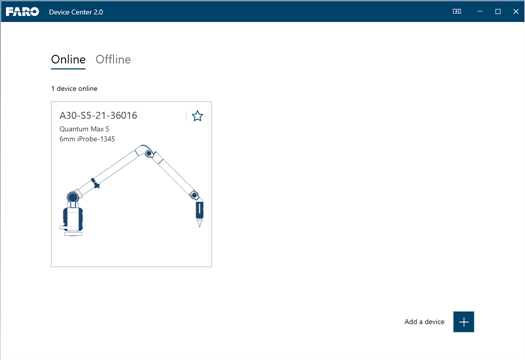
Figure 9-1 CAM2 2024 Device Control Panel
You can also press the P hot key to show the Device Center panel
Add a Device
CAM2 2024 automatically searches for any
If you do not see your
Ethernet and Wireless
If you are connecting to the computer using the Devices, USB, or Ethernet, first connect using the FaroArm Manager. This creates a connection to CAM2 2024.