Interactive Registration
|
123-2026-04-28-888 |
This is the default page when you click the Registration category.
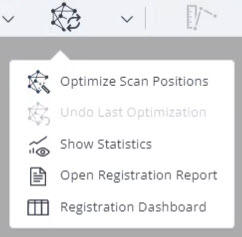
To access the former registration Dashboard, open the dropdown of the Update Registration icon and select the Registration Dashboard entry.
The interactive registration, developed in cooperation with FARO key customers, allows registering large and complex projects. While you can still use the automatic, manual and visual registration options, the interactive registration now provides intuitive, graphical workflows to register scans.
This registration type provides numerous options to run registrations. You can find examples of workflows on the FARO FARO Knowledge Base.
-
To start the interactive registration, click tab Registration in the workflow bar.
-
Then click icon
 to access the interactive registration.
The interactive registration contains the following tool groups.

Figure 9-1 Interactive registration tools
The order of views and tools in the toolbar reflects the order of steps of the registration workflow. The registration toolbar helps you to visualize registration objects and their properties.
Workflow Descriptions and Tutorials
The interactive registration is highly workflow-driven and allows using different registration options at the same time. While you can find step-by-step descriptions of standard workflows in chapter Interactive Registration Workflow Examples to get you started, we strongly recommend to watch the Interactive Registration Tutorials in the FARO Academy.
-
Log in to the learn.faro.com.
If you do not have an account yet, you can use your Sphere XG account to log in or you can create a new account. -
Go to tab On Demand, search for SCENE and launch course FARO SCENE Interactive Registration.