Use HoloBuilder Colors for Waypoints
|
1238888 |
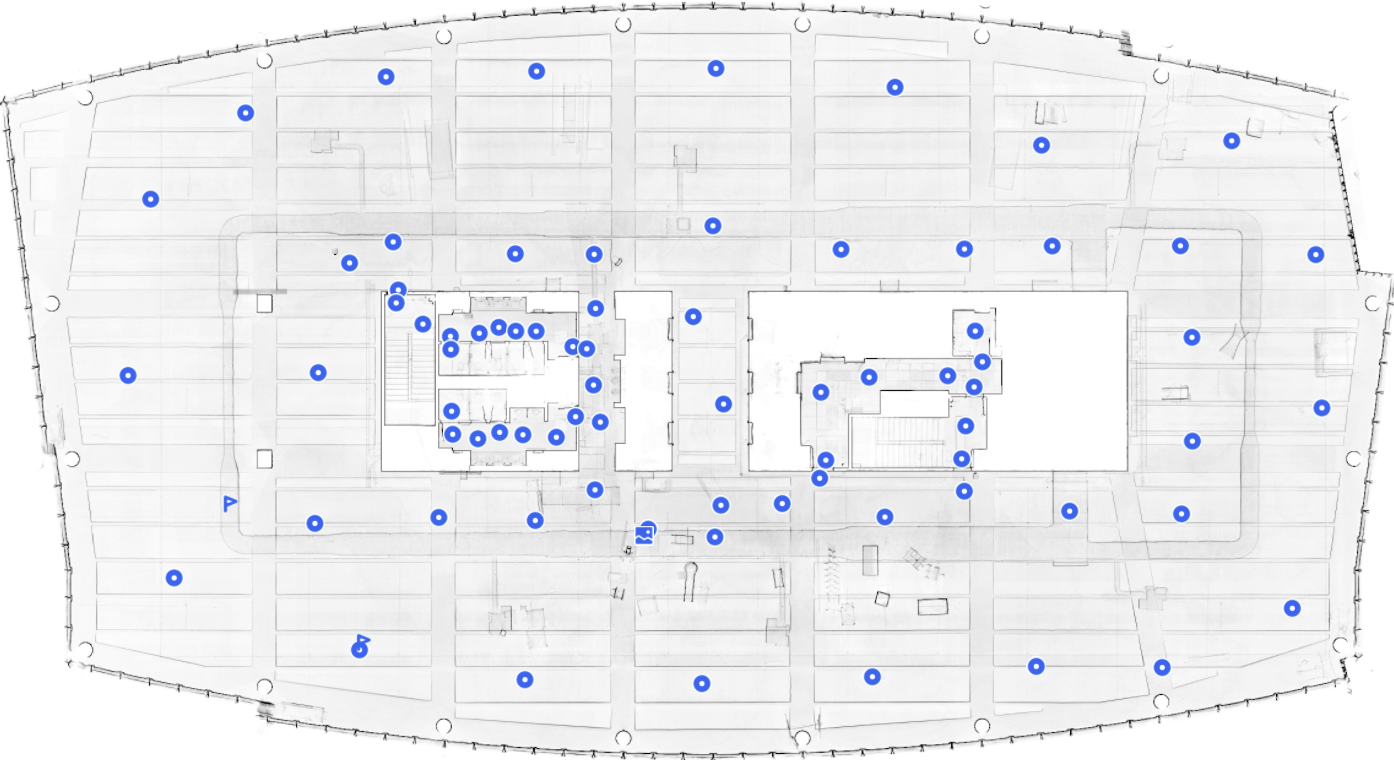
Usually waypoints in Sphere XG are blue:
 This is the generic waypoint icon. You can move such a waypoint if it contains a 360° photo (static HoloBuilder captures, see Capture 360° photos and create tours with the JobWalk App).
 Waypoint with a 2D photo.
 2D photo.
 Location marker, see also Create new Waypoints.
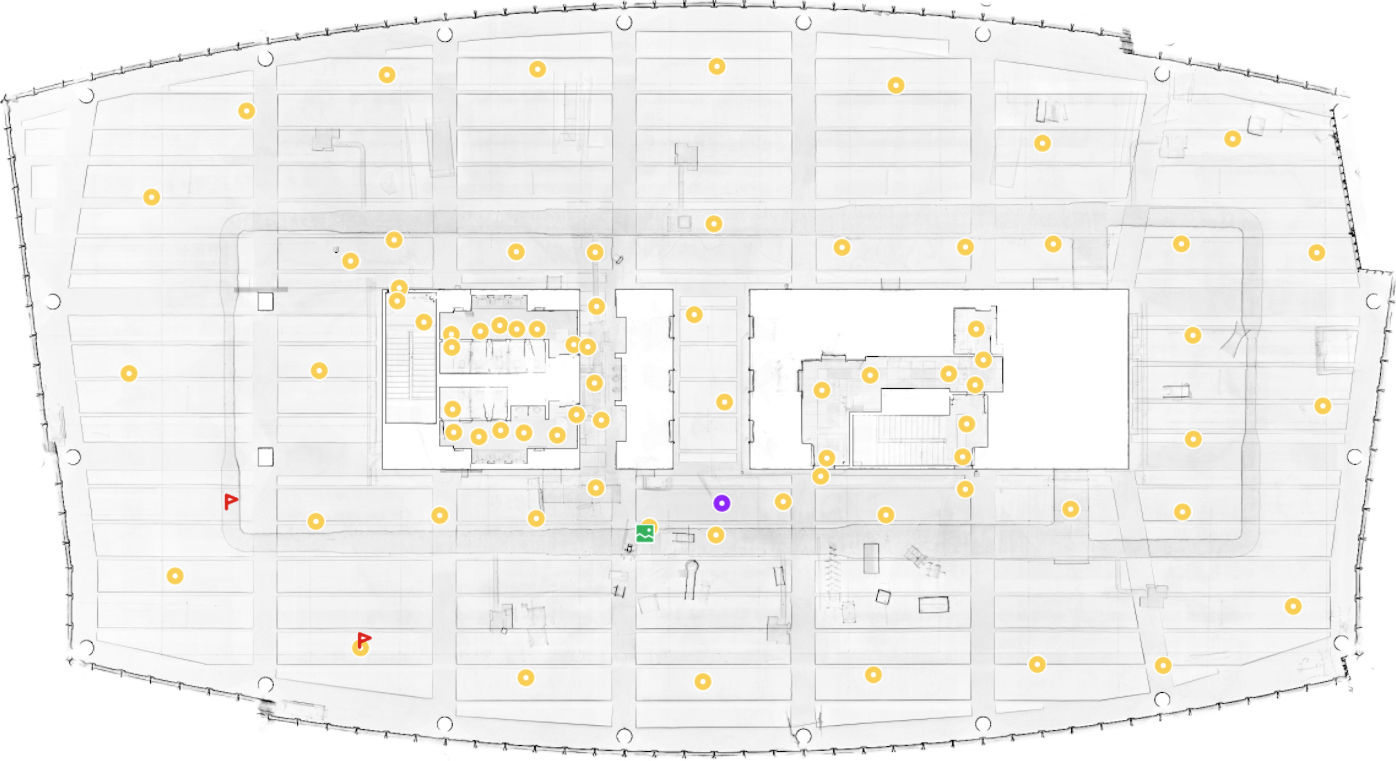
However, you can also assign HoloBuilder colors to your waypoints via the context menu in the project structure view or in the Viewer.
As a first step, you must enable using HoloBuilder colors:
-
Click the
 icon in the toolbar on the right side to open the general view settings.
 -
From the Colorize dropdown, select HoloBuilder color.
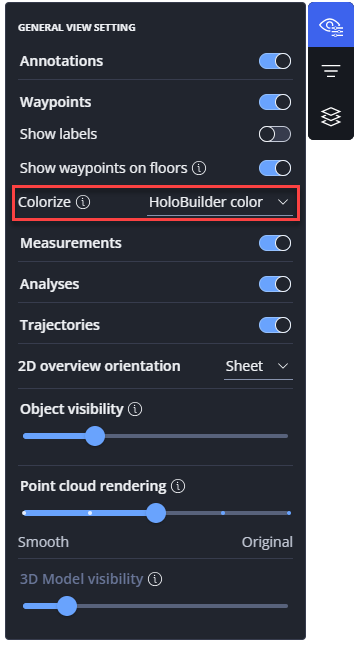
Figure 1-177 Enable HoloBuilder colors
Now, you can activate the HoloBuilder colors. Note that the standard HoloBuilder color is yellow.
-
In the project structure view, click the three-dots menu of the waypoint for which you want to change the color.
You can also right-click the waypoint in the Viewer to open the context menu. -
Click the color you want.
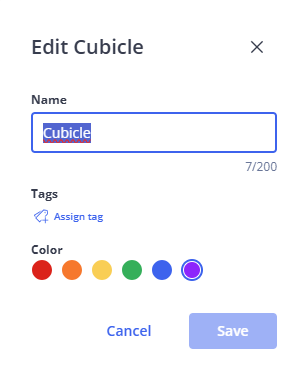
Figure 1-178 Select HoloBuilder colors
The waypoint color will be changed.
|
|
|
|
Figure 1-179 Sphere XG default colors |
Figure 1-180 HoloBuilder colors |