Processing Settings
|
1238888 |
On this page, you can define the overall processing settings. If you start a processing procedure, you can either use the settings from the Processing Settings page or define specific settings only for this specific processing procedure.
To access the Processing settings:
-
Click the Settings icon
 on the right side of the workflow bar.
 -
Then click Processing.
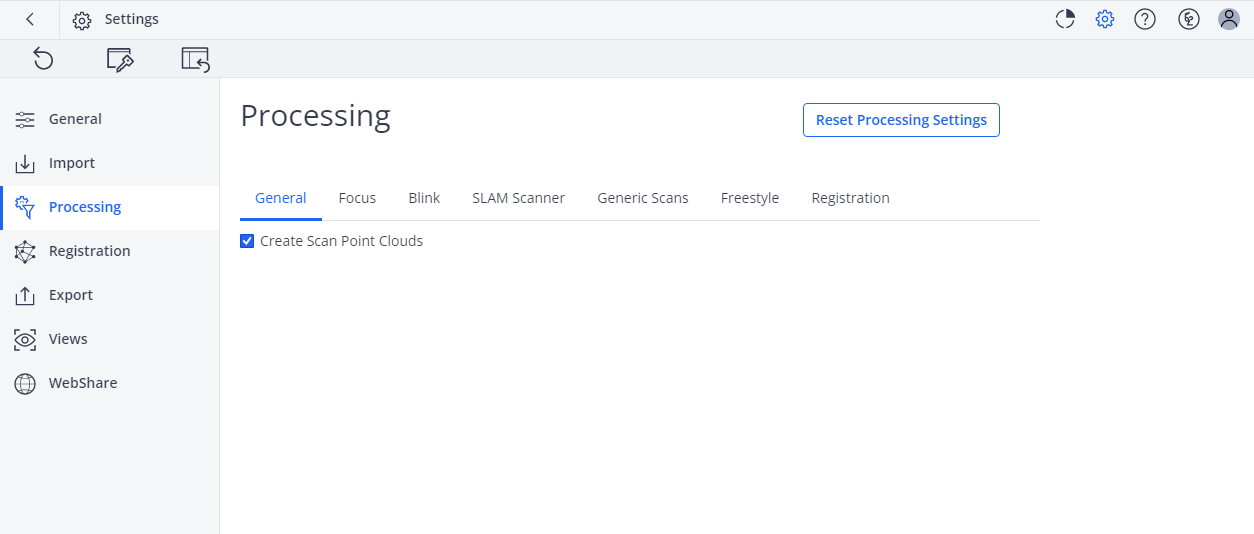
Figure 5-4 Processing settings page
The processing settings are sorted into the following groups.
-
General
Currently only contains option to create scan point clouds in each processing procedure. -
SLAM Scanner
-
Generic Scans
For non-FARO scanners -
Registration
Currently only contains option to perform an automatic registration after the processing has been finished. See Registration settings for further settings.